Clearing an Inventory Block
This option allows users to block a room while it is being serviced or remodeled and remove the block when it’s ready to be occupied by a guest.
Perform the following steps to clear an inventory block:
Navigate to Rooms Mgmt ➜ Housekeeping ➜ Blocks. Rooms that are currently blocked are highlighted in gray with the inventory status, dates, and reason.
The user can use the filters to narrow down the list of rooms by section, housekeeping condition, or room type.
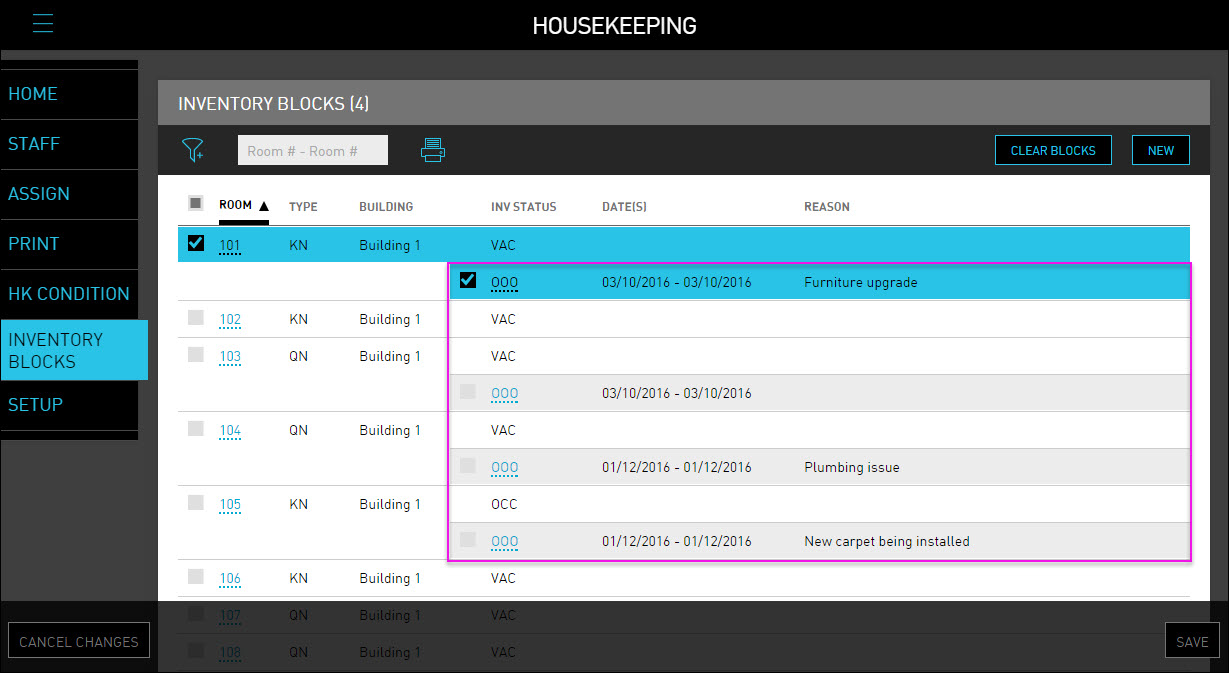
Select the checkbox next to the room number(s) that are currently blocked.
Click Clear Blocks. A notification dialog box appears.
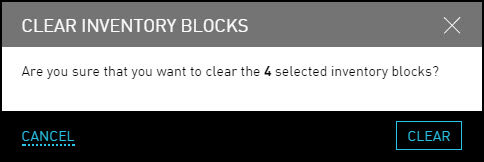
Click Clear to remove the selected rooms from the inventory block.
Click Save. The selected inventory blocks are cleared successfully.